
Segment by firmographics that matter
Industry, SIC and NAICS, employee count, revenue range, geography, technology, and web presence.
Build account lists by industry, geography, and size, then narrow to the businesses showing real activity — recent financing, equipment purchases, growth signals — and export them with contacts included.
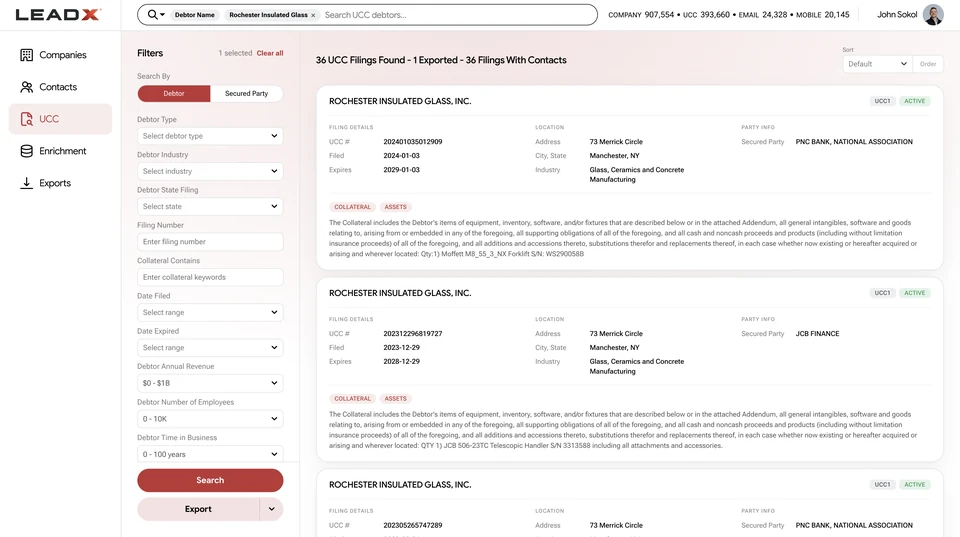
Firmographics get you a segment. What moves a pipeline is knowing which accounts in that segment did something recently. LeadX layers public filing activity, equipment purchases, web presence, and reputation onto the company record so reps can sort a territory by evidence rather than alphabetically. See the prospecting use case.
Industry, SIC and NAICS, employee count, revenue range, geography, technology, and web presence.
Recent financing filings and equipment purchases separate active accounts from dormant ones.
Search by title, department, and seniority, with verified business email and mobile numbers.
Export or sync into HubSpot, Salesforce, Zoho, Pipedrive, and Microsoft Dynamics.
Define a patch by geography and industry, then rank accounts by recent activity.
Find companies that resemble your best customers on firmographics and behavior.
Pull filings, reviews, reputation, and contacts before a first call.
Append contacts and company context to a list you already own.
B2B prospecting data is the combination of company records and contact records used to build a target list: firmographics that define the segment, and decision-maker details that make it actionable. LeadX adds a third layer — public filing and purchase activity — so a list can be ranked by evidence of buying behavior.
Start with firmographics — industry or NAICS, employee count, revenue range, and geography — then narrow using web presence, reputation, or financing activity. Add contacts by title, department, and seniority, and export the result. See company data.
Generic databases optimize for contact volume. The records are static: a name, a title, a company. LeadX connects each contact to a company record that carries public filings, equipment ownership, reviews, and reputation, so a rep can tell which accounts in a list have recently done something worth calling about.
Yes. Lookalike discovery matches on firmographics, industry, web signals, and operating context to surface companies that resemble an existing customer profile.
Yes. Contact data includes business email, direct phone, and mobile numbers with validation signals, individually or in bulk, and through the API.
Yes. LeadX supports export and enrichment workflows with HubSpot, Salesforce, Zoho, Pipedrive, and Microsoft Dynamics, and the same records are available through the API for custom pipelines and reverse-ETL jobs.