
Name, role, and company association
Connect people to the businesses where they work with titles and professional context for qualification.
Connect target companies with available decision-maker contacts. Find work emails and mobile numbers, validate email addresses, and enrich individual records or bulk lists in LeadX.
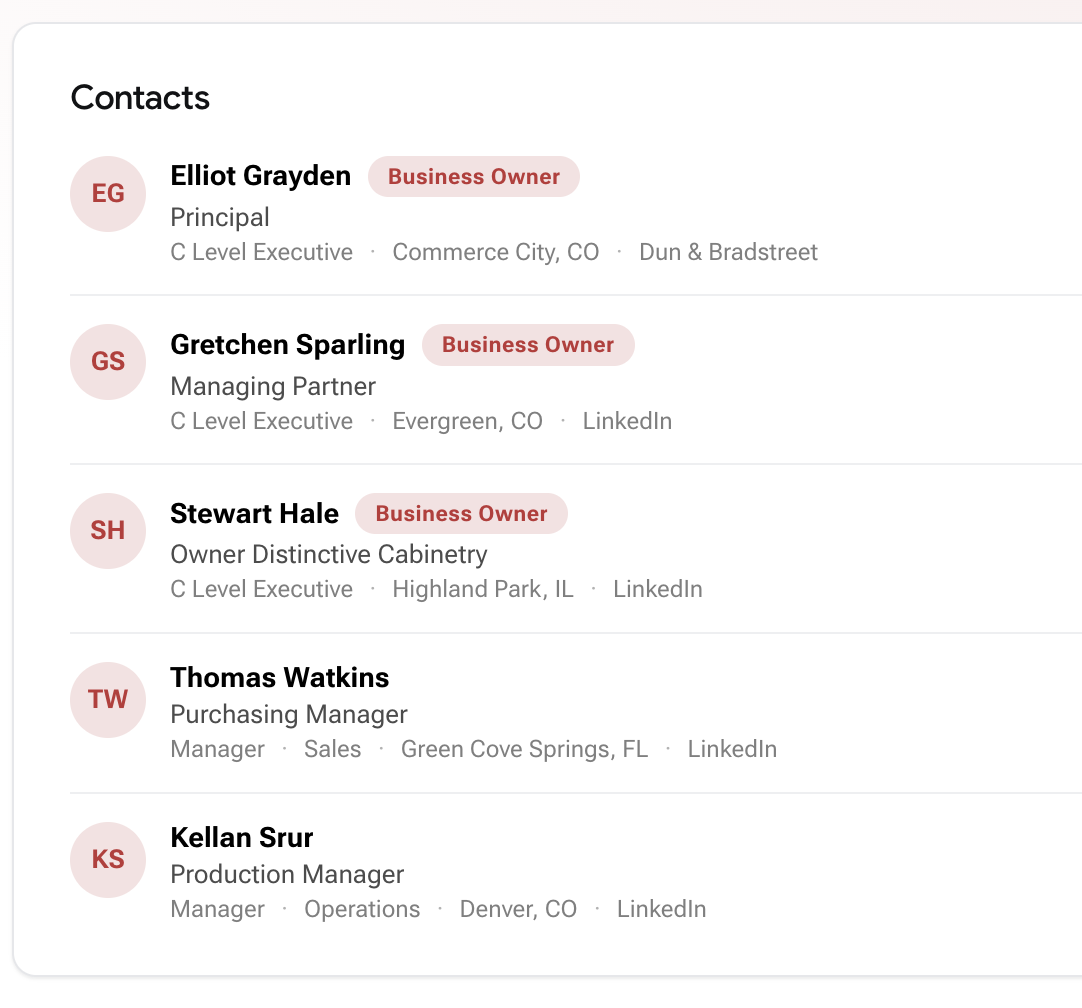
LeadX keeps contact discovery attached to the company record, so teams can qualify the business and identify relevant people without stitching together separate lists. Include available contacts with company exports, or use Email & Mobile Enrichment to look up a known person one at a time or in bulk. Learn how to find and verify a contact.
Connect people to the businesses where they work with titles and professional context for qualification.
Find owners, executives, managers, and functional leaders based on how your team defines a decision maker.
Find business emails and use validation status and mail-server signals to support cleaner outreach data.
Add phone and mobile-number intelligence where available for multichannel prospecting and research.
Use professional-profile URLs, headers, role history, and related attributes to understand contact relevance.
Work in the LeadX platform, include contacts in company exports, run bulk enrichment, or use API endpoints.
Include relevant contacts with the target companies selected for export.
Open Enrichment to find a work email or mobile number for a known contact.
Check an email address and review its validation status before adding it to an outreach list.
Use Bulk Enrichment and Bulk Status to process lists and track progress, or integrate lookups through the LeadX API.
B2B contact data is the professional record of a decision maker at a target company: name, job title, department, seniority, business email, phone and mobile number, and professional profile links. It is what turns a qualified account into someone you can actually reach.
Available fields include business email, phone and mobile numbers, LinkedIn URLs, job title, department, seniority, location, and experience context. Coverage varies by record; email validation helps you evaluate an address before use.
Open Enrichment and choose Email & Mobile for an individual lookup, or Bulk Enrichment for a list. Work email lookup supports a name and company domain or a LinkedIn URL. Mobile lookup is also available through the API using a LinkedIn URL.
LeadX offers email validation with Valid, Invalid, Risky, and Unknown results. Review the returned status before using an address. A completed lookup does not guarantee that an email or mobile number was found.
Start with Companies to qualify target businesses and include available contacts in company exports. For a person you already know, use Enrichment to look up their email or mobile number.
Use contact exports in your CRM workflow, or connect the LeadX API to enrich records in your own systems.